Cart
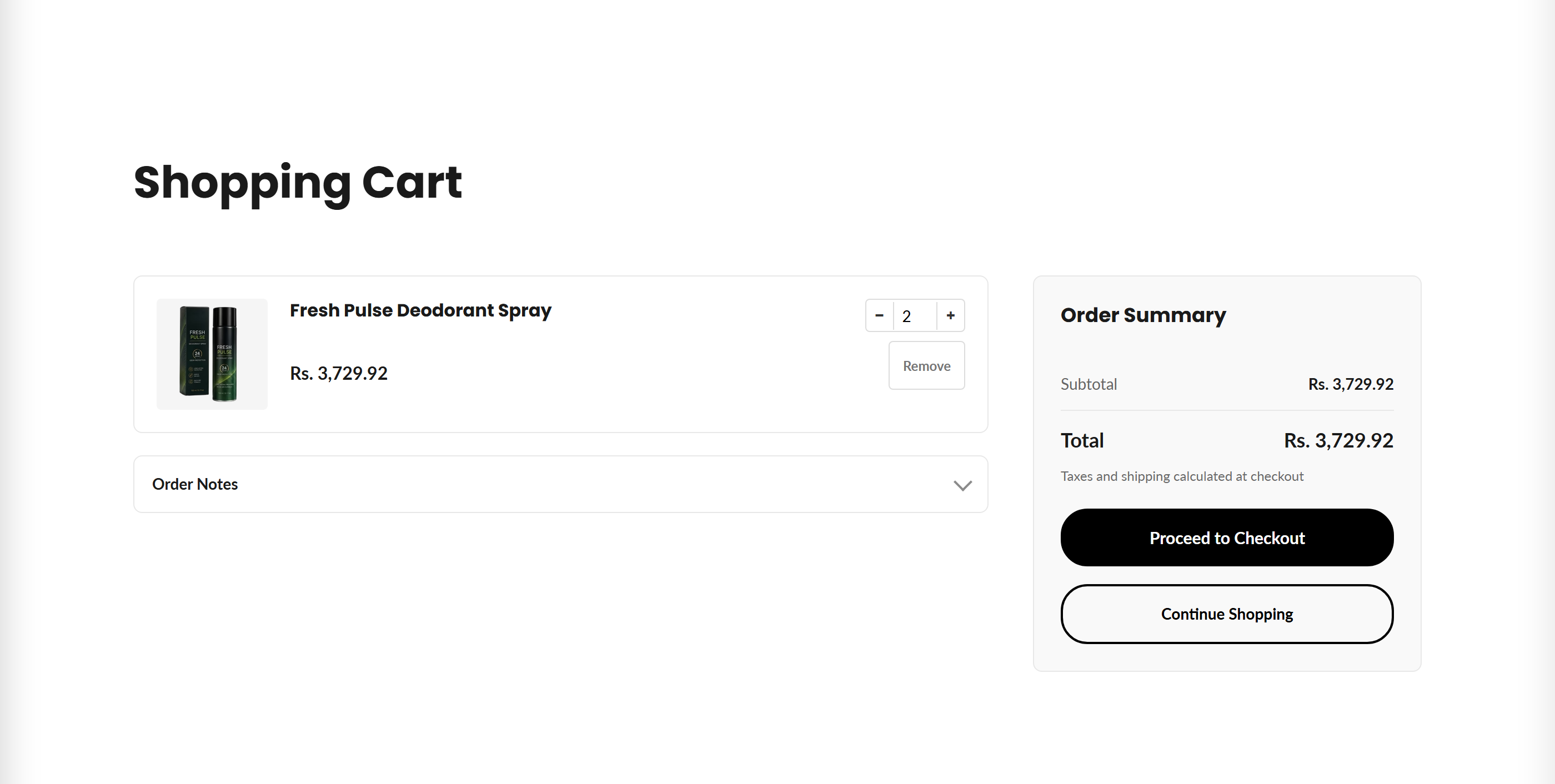
The main cart page that lists cart items with AJAX quantity/remove controls, an order summary, optional order note, gift message and terms-agreement gate before checkout.
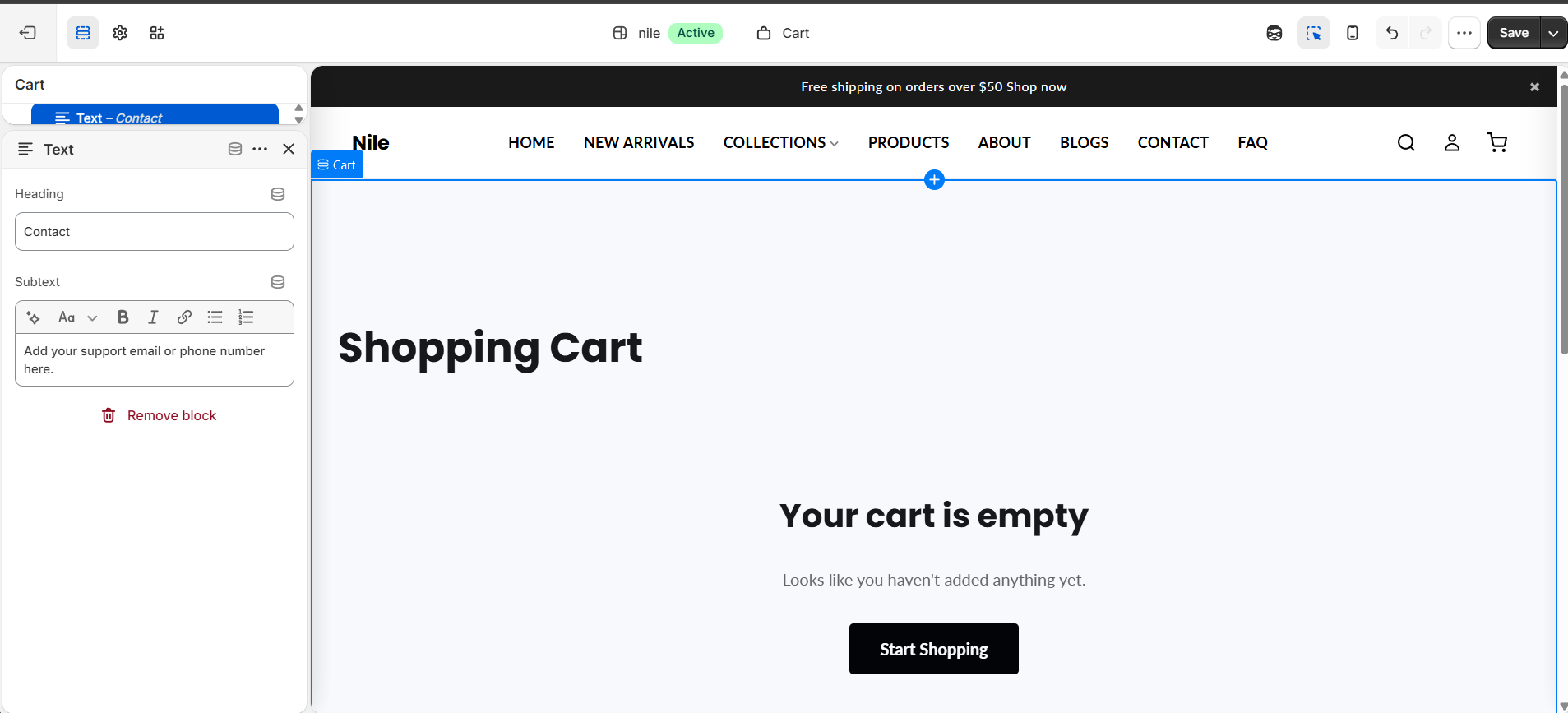
This section renders the full shopping cart page: a list of line items with inline quantity steppers and remove buttons, plus a sticky order summary with subtotal, cart-level discounts, total and the checkout button. Quantity and remove actions update the cart via /cart/change.js and re-render in place without a page reload, keeping the header badge and cart drawer in sync. When the cart is empty it shows an empty-state message with a link to keep shopping.
How to use it
In the Shopify theme editor, add or open this section, then:
- Open the Shopify theme editor and use the top page selector to navigate to the Cart page so this section loads.
- Click the Cart section and set the Heading (default "Shopping Cart") and choose a Color scheme.
- Under Order notes and attributes, toggle Show order notes field and Show gift message field to let customers add a note or gift message.
- Adjust Padding top / Padding bottom to control vertical spacing, then Save.
The terms-agreement gate (a checkbox shoppers must tick before checkout) is not a setting on this section. Enable it in Theme settings → Cart with Require agreement to terms and edit the Terms text there (HTML links to your policy pages are supported). When enabled it appears on this cart page automatically.
Checkout button colors, hover states and shape come from global Theme settings (button primary/secondary and button shape), not from this section - change them there if you need different colors.
When terms agreement is required, the gate also disables accelerated checkout buttons (Shop Pay, PayPal, etc.) until the box is ticked, so customers can't bypass it.
Product images are pulled from each cart line item and shown at 100x100px; there is no image setting to configure in this section.
Settings reference
| Setting | Type | Default | What it does |
|---|---|---|---|
| Color scheme | color_scheme | scheme-1 | Color scheme applied to the cart section background and text. |
| Heading | text | Shopping Cart | The page title shown at the top of the cart. |
| Padding top | range | 60px | Top padding of the section (0-120px). |
| Padding bottom | range | 60px | Bottom padding of the section (0-120px). |
| Show order notes field | checkbox | true | Adds a collapsible order-note textarea (saved as the cart note); auto-opens if a note already exists. |
| Show gift message field | checkbox | false | Adds a collapsible gift-message textarea saved as the cart attribute 'Gift Message'. |
Supports only @app blocks, letting Shopify apps inject content at the bottom of the section; there are no merchant-configurable content blocks.
Related theme settings (not on this section)
The terms-agreement gate is configured globally, not per-section:
| Setting | Location | Type | Default | What it does |
|---|---|---|---|---|
| Require agreement before checkout | Theme settings → Cart | checkbox | false | Shows a terms checkbox on this cart page and blocks checkout (including dynamic/accelerated buttons) until it is ticked. |
| Agreement text | Theme settings → Cart | text | I agree to the Terms of Service and Privacy Policy | Label beside the checkbox. Use HTML to link to your policy pages, e.g. I agree to the <a href="/policies/terms-of-service">Terms of Service</a>. |
Developer notes
Renders the section-color-scheme, free-shipping-bar snippets and uses content_for_additional_checkout_buttons for dynamic/accelerated checkout.
- All CSS classes and JS IDs are suffixed with
{{ section.id }}for scoping; styles are inlined in a{% style %}and<script>block, and the vanilla-JS controller is inlined at the bottom. - Quantity/remove actions POST to
/cart/change.jswithsectionsto fetch and swap the re-rendered#CartMain-{id}markup in place; it also callswindow.cartInstance._syncBadge()andrefreshCartDrawer()to keep the header and drawer current. - FB fixes are noted inline: Enter in a qty field commits the line instead of submitting checkout (FB1), and the terms gate also disables accelerated checkout buttons (FB18).
{%- if settings.cart_show_terms -%}
  <input type="checkbox" name="attributes[Terms Agreed]" value="yes"
         {% if cart.attributes['Terms Agreed'] == 'yes' %}checked{% endif %}>
  <span>{{ settings.cart_terms_text }}</span>
{%- endif -%}
The gate reads the global settings.cart_show_terms / settings.cart_terms_text (Theme settings → Cart), not section settings — the JS controller also gates the accelerated checkout buttons on settings.cart_show_terms.