Cookie consent
A site-wide cookie/consent banner that records the shopper's choice through Shopify's Customer Privacy API.
The Cookie consent section shows a fixed banner at the bottom of every page with a short message and Accept / Decline buttons. It's part of the footer group, so it appears site-wide. The choice is stored in the browser and passed to Shopify's Customer Privacy (consent-tracking) API, so analytics and marketing cookies are actually gated - not just visually hidden. It's off by default; turn it on only if you need a consent gate for your region (GDPR/CCPA).
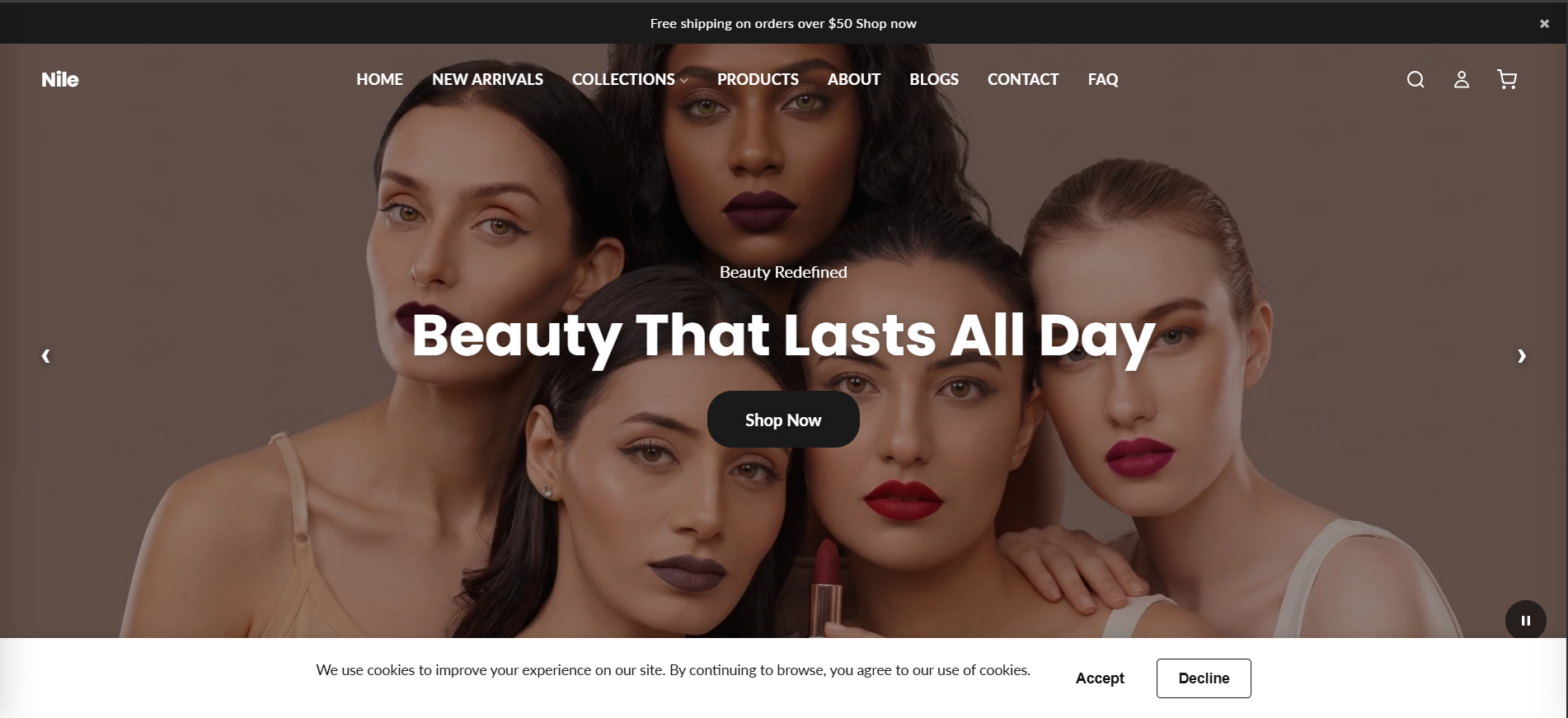
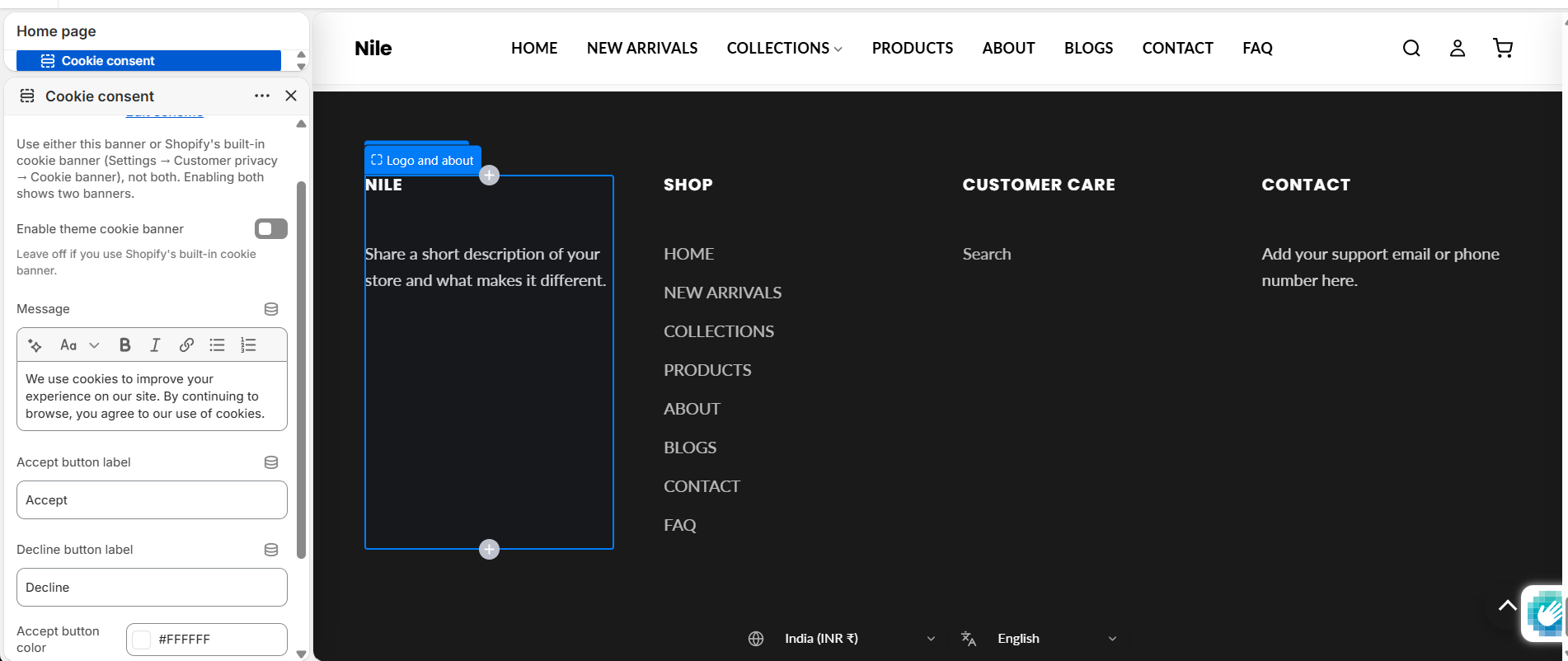
How to use it
The Cookie consent section lives in the footer group, so you edit it from the theme editor with any page open.
- In the theme editor, scroll the left panel to the Cookie consent section (under the footer group) and select it.
- Tick Enable theme cookie banner to switch it on (it's off by default). Use either this banner or Shopify's built-in cookie banner (Settings → Customer privacy → Cookie banner) - not both, or shoppers see two banners.
- Edit the Message shown to shoppers (rich text - you can link to your privacy/cookie policy page).
- Set the Accept button label and Decline button label.
- Choose the Accept button color and Accept button text color for the Accept button, then Save.
Only enable this if your store actually needs a consent gate. The banner only shows when Shopify's Customer Privacy API determines consent is required for that visitor (based on their region and whether they've already chosen), so shoppers who don't need it won't see it.
Settings reference
| Setting | Type | Default | What it does |
|---|---|---|---|
| Color scheme | color_scheme | scheme-1 | Theme color scheme applied to the banner background and text. |
| Enable theme cookie banner | checkbox | false | Master on/off switch. Use either this banner or Shopify's built-in one (Settings → Customer privacy → Cookie banner), not both. The banner and its script only render when this is on. |
| Message | richtext | We use cookies to improve your experience on our site. By continuing to browse, you agree to our use of cookies. | The consent text. Add a link to your privacy/cookie policy here. |
| Accept button label | text | Accept | Label on the accept button. |
| Decline button label | text | Decline | Label on the decline button. |
| Accept button color | color | #ffffff | Background color of the Accept button. |
| Accept button text color | color | #121212 | Text color of the Accept button. |
This section has no content blocks - it's configured entirely through the settings above.
Developer notes
Renders section-color-scheme; all rules are scoped to .cookie-consent / #CookieConsent-{{ section.id }}. The whole banner is gated behind {% if section.settings.enable %}, so when the toggle is off nothing (markup or script) is output.
- The banner defers to
window.Shopify.customerPrivacy: it callsshouldShowBanner()to decide whether to display, andsetTrackingConsent({ analytics, marketing, preferences, sale_of_data })on Accept/Decline - loading theconsent-tracking-apifeature viaShopify.loadFeaturesif it isn't ready yet. - The choice is also stored in
localStorageundercookie_consent_accepted('true'/'declined') as a fallback when the API is unavailable. - Accept/Decline dispatch
cookie-consent-given/cookie-consent-declinedCustomEvents onwindow, so other scripts can react. - Labels/message come from the section settings; the region label uses the
accessibility.cookie_consenttranslation key.