Password page
The full-screen landing page shown to visitors while your store is password protected, with a coming-soon message, password entry form, optional email sign-up and social links.
This section renders the storefront's password page - the branded splash screen visitors see before your store goes public. It shows your logo, a customizable coming-soon message and the Shopify password entry form, plus optional pre-launch email capture and social links.
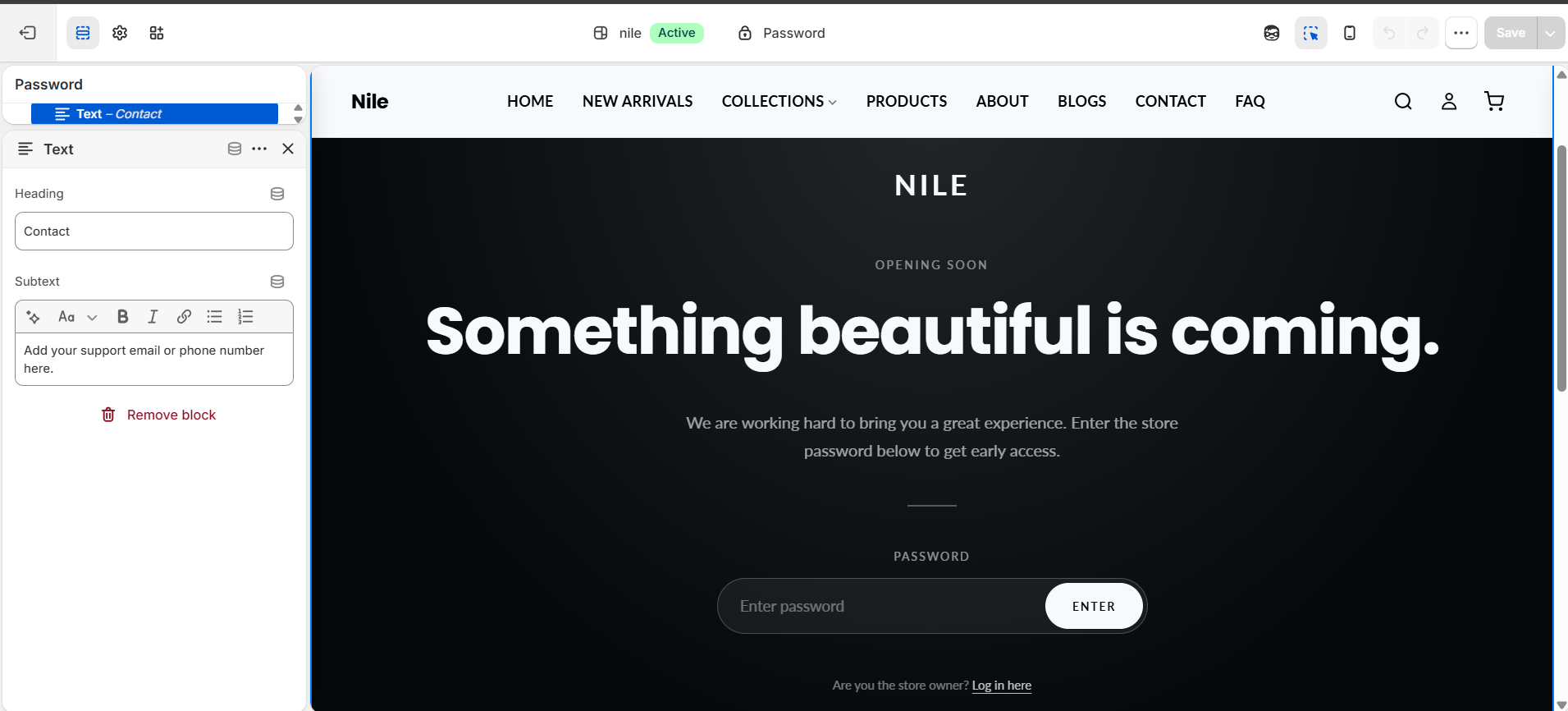
How to use it
In the Shopify theme editor, add or open this section, then:
- In the Shopify admin, go to Online Store → Preferences and enable Password protection so the password page is active.
- Open the theme editor and use the top page selector to switch to the Password page.
- Under Content, edit the Eyebrow text, Heading and Subtext to set your coming-soon message.
- Optionally turn on Show email sign-up form to collect subscriber emails, and Show social links to display your social icons.
- Set the Background color and Text color, or add a Background image for a fully branded look.
- Click Save.
The logo comes from Theme Settings → Logo (it is rendered inverted to show white on the dark background); if no logo is set, the shop name is shown as text instead.
Background image recommended size is 1920×1080px (16:9) - it overrides the background color, so use a dark image or overlay so the light text stays legible.
Social links are pulled from Theme Settings → Social media; the social row only appears if at least one link is filled in.
Settings reference
| Setting | Type | Default | What it does |
|---|---|---|---|
| Eyebrow text | text | Opening Soon | Small uppercase label shown above the heading. |
| Heading | text | Something beautiful is coming. | The main headline on the password page. |
| Subtext | textarea | We are working hard to bring you a great experience. Enter the store password below to get early access. | Short paragraph shown beneath the heading. |
| Show email sign-up form | checkbox | false | Captures subscriber emails before launch. Contacts are saved to your Shopify customers. |
| Show social links | checkbox | true | Links are pulled from Theme Settings → Social media. |
| Background color | color | #0a0a0a | Page background; a subtle radial gradient is applied when no background image is set. |
| Text color | color | #ffffff | Color of all text and the divider lines. |
| Background image | image_picker | - | Overrides the background color. Use a dark image or set a dark overlay in CSS so text stays legible. Recommended: 1920×1080px (16:9). |
Developer notes
Uses the Shopify {% form 'storefront_password' %} tag for password entry and, when email sign-up is enabled, {% form 'customer' %} with hidden contact[tags] of newsletter,password-page.
- Also renders
shop.password_message(set in admin) and thegeneral.password_page.admin_link_htmllink back to the admin. - All CSS is inlined in a
{% style %}block scoped to.password-main; colors are injected frombackground_color/text_colorviacolor-mix(). No external assets or JS are loaded. - Logo pulls from global
settings.logoand is filtered withbrightness(0) invert(1)to render white; social links read the globalsettings.social_*_linkvalues.
{%- form 'storefront_password', class: 'password-main__form' -%}
  <input type="password" name="password" required>
  <button type="submit">{{ 'general.password_page.login_form_submit' | t }}</button>
{%- endform -%}