Cart page
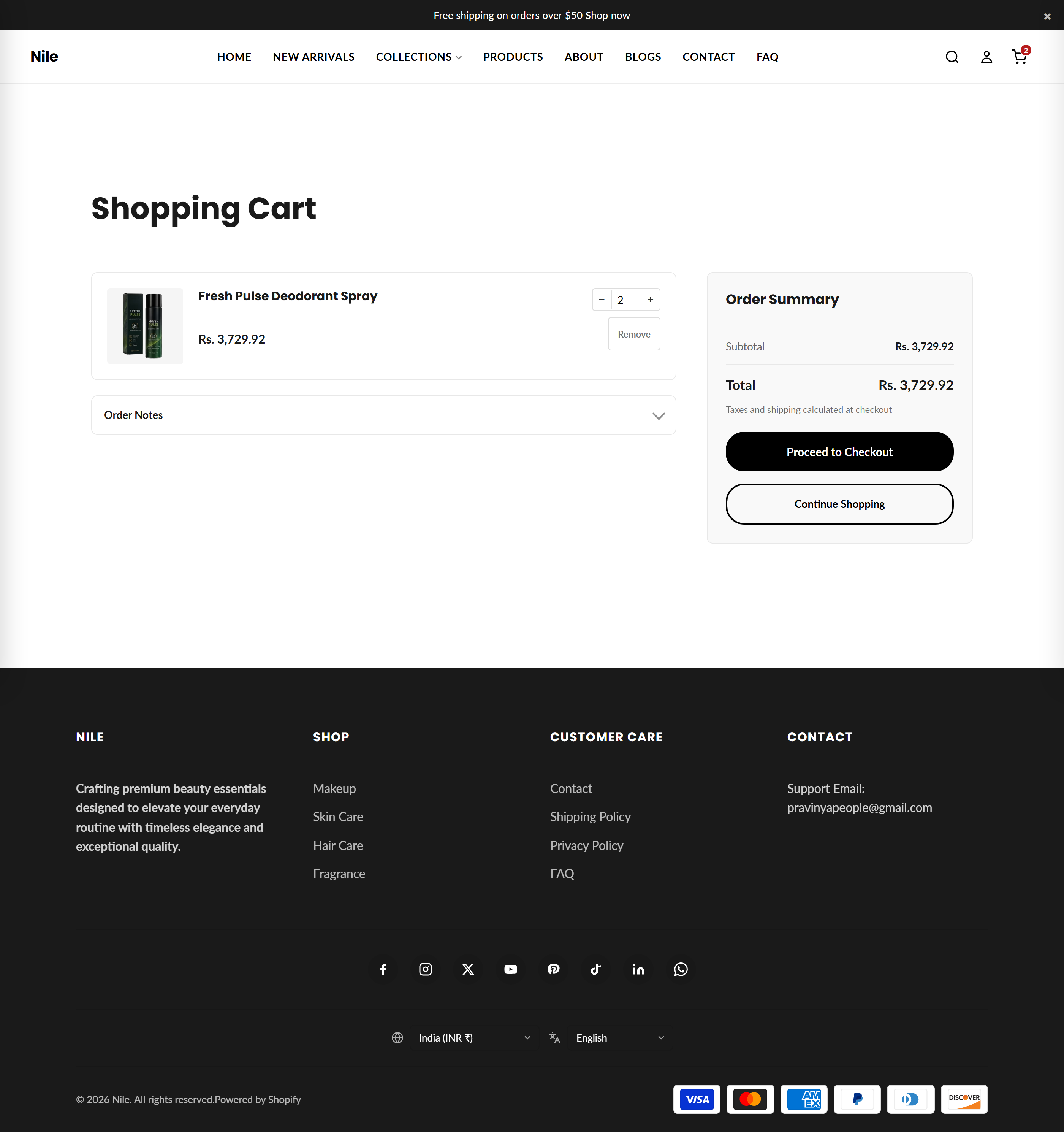
The dedicated shopping cart page where customers review line items, adjust quantities, add notes, and proceed to checkout.
The Cart page renders the full-page shopping cart at /cart. It lists every item in the cart with a thumbnail, price, and quantity stepper, shows an order summary with subtotal, discounts, and total, and provides Proceed to checkout plus Continue shopping actions. Quantity and remove changes update the cart in place via /cart/change.js without a page reload.
Sections on this template
- Cart main
How to use it
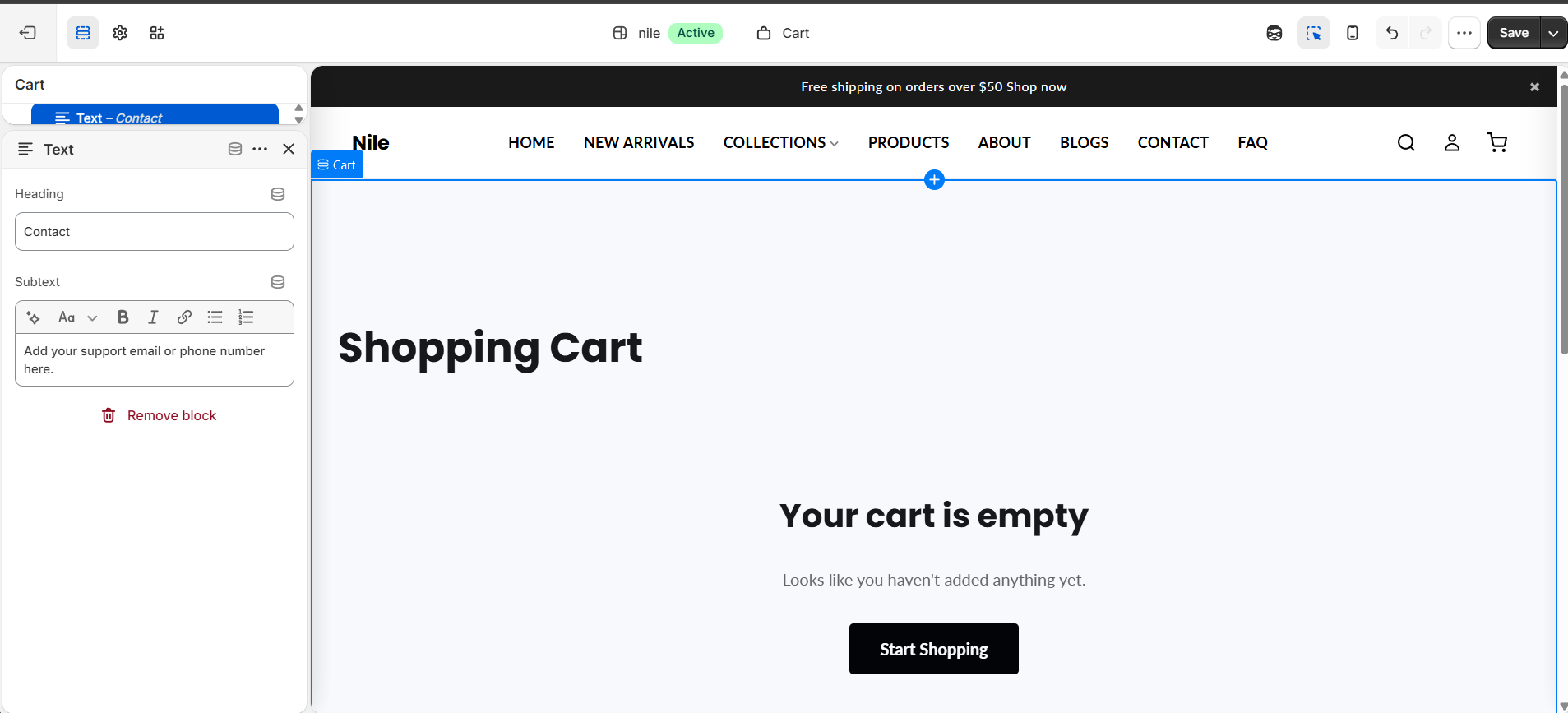
In the Shopify theme editor, add or open this section, then:
- In the Shopify admin, open Online Store → Themes → Customize.
- In the template picker at the top, choose Cart to load
templates/cart.json. - Select the Cart section in the left panel to edit its heading and padding.
- Toggle Show cart note and Show gift message to let shoppers leave order notes or gift messages.
- Enable Show terms and conditions checkbox and edit the terms text if you require agreement before checkout.
- Click Save to publish your changes.
The terms and conditions gate also blocks accelerated checkout buttons (Shop Pay, PayPal) until the box is ticked, so checkout cannot be bypassed.
Product thumbnails are rendered at 100x100px (200px source); no separate image-size setting is exposed here - image quality follows your product images.
The order summary is sticky on desktop and collapses to a single column on mobile; buttons use the theme's global button colors and shape from Theme settings, not per-section controls.
Settings reference
| Setting | Type | Default | What it does |
|---|---|---|---|
| Color scheme | color_scheme | scheme-1 | Applies a theme color scheme to the section background and text. |
| Heading | text | Shopping Cart | The page title shown above the cart items. |
| Top padding | range | 60px | Space above the section (0-120px). |
| Bottom padding | range | 60px | Space below the section (0-120px). |
| Show cart note | checkbox | true | Shows a collapsible order-note textarea saved to cart.note. |
| Show gift message | checkbox | false | Shows a collapsible gift-message field saved as a cart attribute. |
| Show terms and conditions checkbox | checkbox | false | Requires shoppers to agree before checkout; also gates accelerated checkout buttons. |
| Terms text | text | I agree to the Terms of Service and Privacy Policy | The label next to the terms checkbox; can include links to your policy pages. |
The section accepts only @app blocks, letting Shopify apps inject content into the cart; there are no merchant-configurable content blocks.
Developer notes
All CSS and JS are inlined in sections/cart-main.liquid and scoped per section.id; no external stylesheet or global script asset is required.
- Renders the snippets
section-color-schemeandfree-shipping-bar; buttons pull colors from globalsettings.button_primary_*/button_secondary_*and shape fromsettings.button_shape. - Line updates use
fetch('/cart/change.js')with the Section Rendering API (sections/sections_url), replacing#CartMain-{id}innerHTML and syncingwindow.cartInstancebadge and drawer. - The T&C gate (FB18) and Enter-to-commit-quantity behavior (FB1) are handled by delegated listeners on the stable section root so they survive in-place re-renders.
{% if cart.item_count > 0 %}
  {% for item in cart.items %}
    {{ item.title }} - {{ item.final_price | money }}
  {% endfor %}
{% else %}
  {{ 'cart.general.empty' | t }}
{% endif %}