Home page
The storefront landing page, assembled from a stack of promotional and merchandising sections defined in templates/index.json.
The Home page is your storefront's front door. Unlike product or collection pages, it has no single main section-instead it is built by stacking reusable sections (hero, collections, testimonials, newsletter, and more) that you add, reorder, and remove in the theme editor.

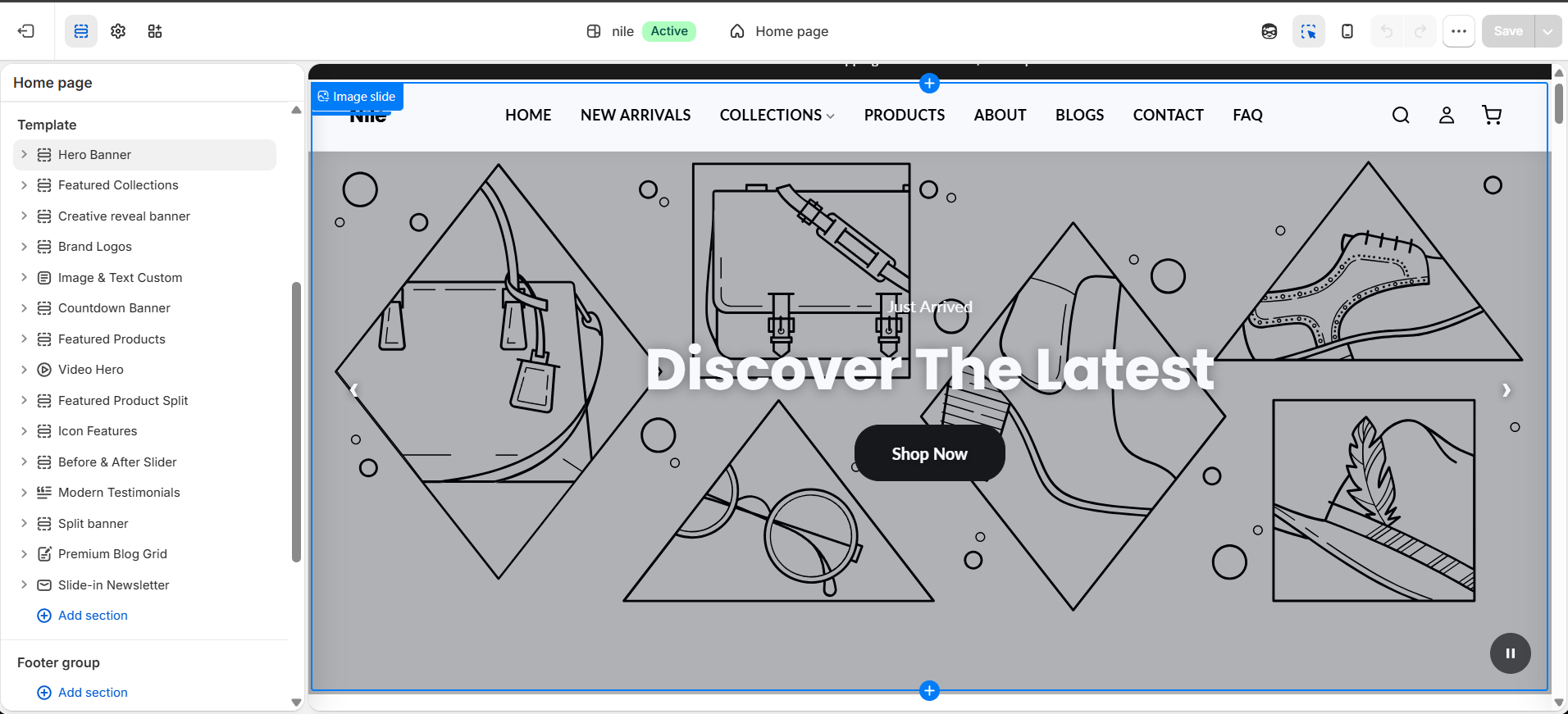
Sections on this template
- Hero Banner
- Featured Collection
- Creative Reveal Banner
- Brand Logos
- Image with Text
- Countdown Banner
- Featured Products
- Video Hero
- Featured Product Split
- Icon Features
- Before & After Slider
- Testimonials
- Split Banner
- Blog Grid
- Newsletter
How to use it
In the Shopify theme editor, add or open this section, then:
- In Shopify admin, go to Online Store → Themes and click Customize on the Nile theme.
- Make sure the template selector at the top center shows Home page.
- In the left sidebar, click any section (for example Hero Banner or Featured Collections) to open and edit its settings and blocks.
- Drag sections by the handle to reorder them, or use the eye icon to hide a section without deleting it.
- Click Add section to insert a new section, then choose its position in the stack.
- Click Save to publish your changes to the live home page.
Assign a real collection to Featured Collections and a product to Featured Product Split-they render empty until you do.
Hero and video sections carry the most visual weight; upload wide, high-resolution imagery (roughly 1920px wide) so they stay sharp on large screens.
Hide rather than delete seasonal sections like the Countdown Banner so you can re-enable them later without rebuilding.
Developer notes
The home page is defined by templates/index.json, a JSON template whose order array controls section sequence and whose sections map holds each section's saved settings and blocks.
- Each entry's
typemaps to a file insections/(e.g.hero-banner→sections/hero-banner.liquid); adding a section here requires that section to declare@app/presetsor be present in the sections directory. - Most sections expose a
color_schemesetting so they inherit the theme's global color schemes; several also support per-section button color overrides.